
Forward
Send a supported booking confirmation to Trip Prudent.
TRAVEL BOOKING ORGANIZER
Your trip may already be booked, but the confirmations are still spread across email, screenshots, downloads, notes, and booking sites. Trip Prudent gives those reservations one trip to belong to.
Booking confirmation
Flight + hotel received
Forward supported emails to
plan@trip.tripprudent.com
FROM CONFIRMATION TO TRIP
Forward supported booking confirmations to plan@trip.tripprudent.com. Supported confirmations can help populate flight, hotel, car rental, activity, and other reservation information.
Import is designed to reduce copying—not to promise compatibility with every provider or format. Review the important dates, times, names, and confirmation details before your trip.
FLEXIBLE INPUT
Send a supported booking confirmation to Trip Prudent.
Add supported reservation files or images you already saved.
Type the details yourself when that is clearer or more reliable.
FILES IN CONTEXT
Tickets, receipts, reservation files, and related travel documents are easier to use when they stay with the trip. Trip Prudent helps keep supported files and images near the reservations and itinerary they support.
Explore travel document features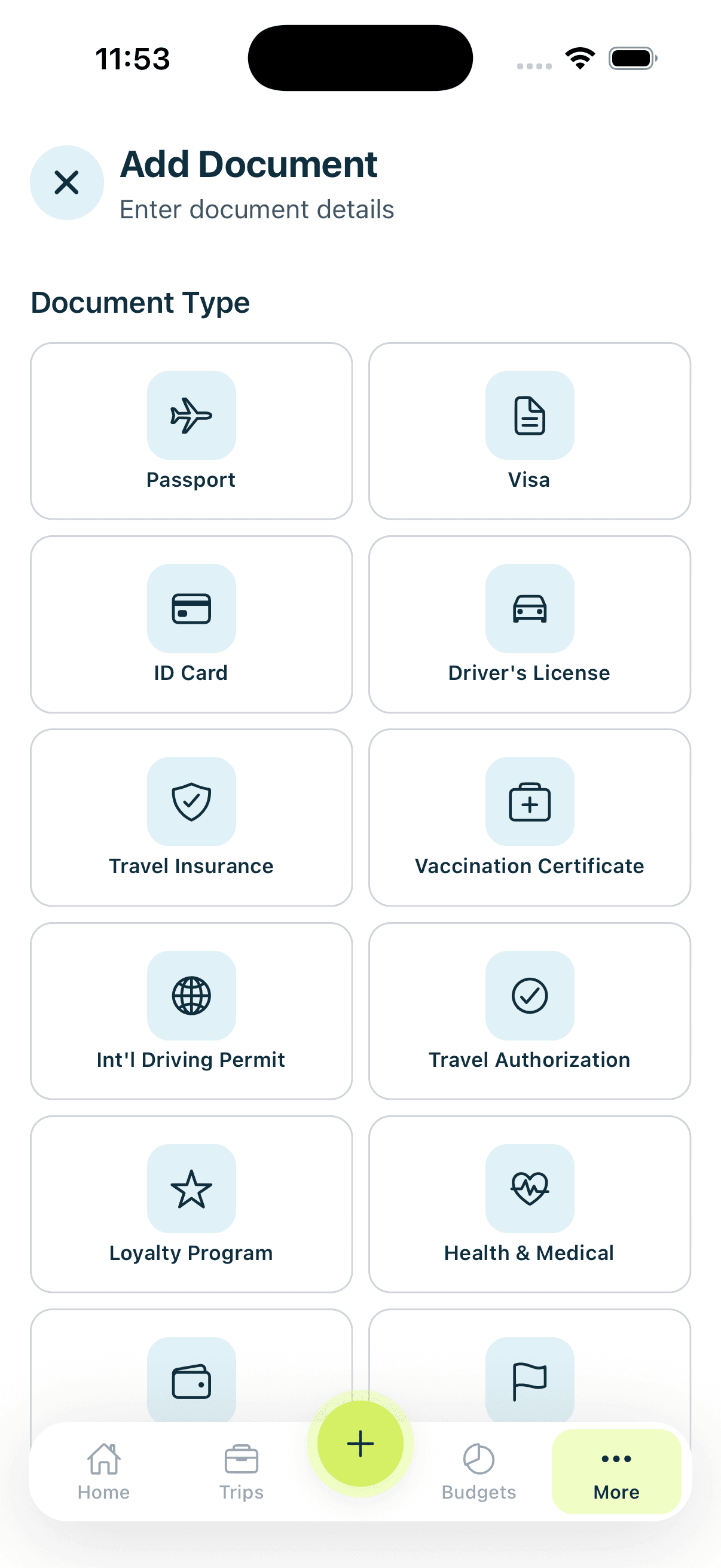
THE NEXT STEP
A booking organizer answers “what did I reserve?” The itinerary then answers “what happens next?” Put the reservation details into chronological context so the trip is easier to follow.
Create a trip in Trip Prudent, then add flight, hotel, car rental, activity, and other reservation details by forwarding a supported confirmation, uploading a supported file or image, or entering the information manually.
Yes. Forward supported booking confirmations to plan@trip.tripprudent.com. A supported confirmation can help populate reservation information; review important details before relying on them during your trip.
Yes. Manual entry is available when you do not have a confirmation to forward, a format is not supported, or you simply prefer to add the reservation yourself.
You can upload supported reservation files and images and keep tickets, receipts, and related travel documents connected to the trip they support.
Start with the confirmations you already have, then keep the reservation details and related documents together in Trip Prudent.